


















 English
 Français
 Deutsch
 Português
 Español
 русский
  한국어
한국어 العربية
 Italiano
 Indonesia
 Schweiz
 Polski
 Nederlands
 ישראל - עברית
 Perzisch
 ไทย
ไทย 日本語
日本語 ኢትዮ-አማርኛ
 Việt Nam
 Kiswahili
 Srpski
 Ελληνικά
 繁體中文
繁體中文Dry Cooler Fan Noise Causes and Selection Considerations
10/19/2026Where noise can come from
Noise from a dry cooler may be generated by the fan motor, impeller, turbulent airflow, vibration, or the interaction of air with nearby surfaces. A fan moving through a restrictive coil or obstructed intake may create a different sound from the same fan operating in an open test condition. Panels, guards, and mounting structures can also transmit or amplify vibration.
An unexpected change in sound can indicate a mechanical or airflow issue, but noise alone does not identify the cause. Loose fasteners, damaged blades, dirt, bearing wear, imbalance, and changed system resistance are among the conditions that may need inspection. Any diagnosis should follow the equipment and fan manufacturer's service guidance.
Use comparable acoustic information
Acoustic data are useful only when the measurement method and conditions are understood. Sound power describes the sound emitted by a source under a specified method, while sound pressure is measured at a location and can change with distance, reflections, barriers, and background noise. Values should not be compared casually if the conditions differ.
Record the dry cooler's operating state when investigating a noise concern: which fans are running, their speed or command, the heat load, the measurement position, and nearby reflecting surfaces. This context helps determine whether the issue is related to fan selection, a particular operating speed, the installation, or simply a different measurement setup.
Balance acoustic needs with airflow
Lower fan speed can reduce fan noise in some operating conditions, but the dry cooler still needs enough airflow to meet its heat rejection duty. Reducing speed without checking the outlet temperature or system load may cause the unit to miss its target. A noise requirement should therefore be assessed alongside the required airflow and the fan's performance curve.
Where several fans are installed, a control strategy may distribute the duty across them, but the correct sequence depends on the equipment design. The system should avoid unstable speed changes or operation outside the approved range. Acoustic requirements can be included early in the specification so the selected fan and the dry cooler layout are evaluated together.
Installation and maintenance matter
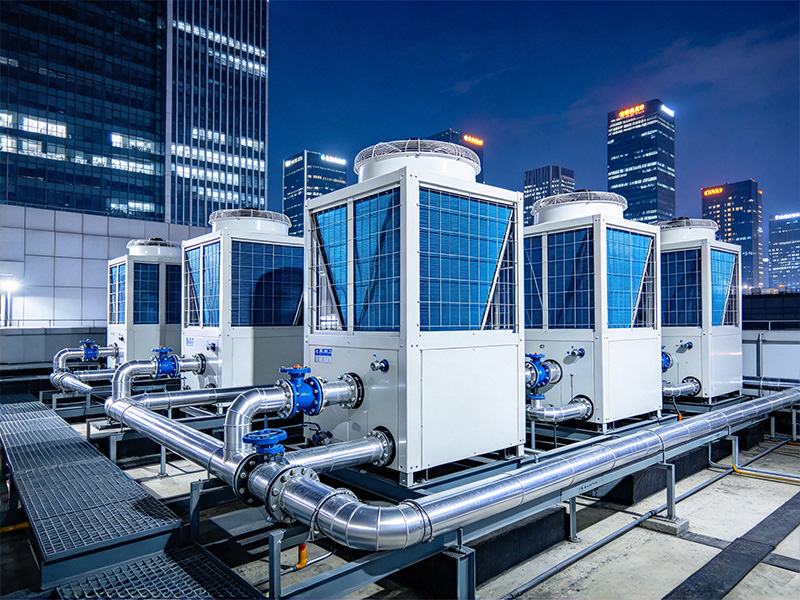
Keep the fan inlet and discharge paths clear of avoidable obstructions. Check that mounting surfaces are secure and that the impeller has the required clearance. The fan should be installed in the orientation and configuration specified by the manufacturer. Changes to guards, ducts, or acoustic screens can affect both sound and airflow, so they should be reviewed as part of the system.
If a dry cooler becomes louder than usual, compare the sound with previous operating conditions and inspect the unit safely after isolation. Check for visible damage, loose parts, contamination, and unusual vibration. Replacing a fan solely because a sound is objectionable may not help if the underlying cause is a restriction, faulty mounting, or control setting.